The Covered Name
A published disclosure copy claims that no protected field survived. Determine whether the browser received more information than the page visibly displays.
Objective
By completing this module, you will be able to:
- distinguish CSS-based concealment from removal of source data; and
- document exposed values without altering the page or guessing hidden text.
Before you begin
Open The Covered Name from the escrow index. Review View the original page source and Inspect or edit an element.
Concepts
A browser receives a document before it paints that document on screen. CSS can change color, position, opacity, clipping, or visibility, but those choices do not necessarily remove the underlying text from the HTML or accessibility tree. A defensible redaction creates a new release artifact in which the protected content is absent, then verifies that artifact before publication.
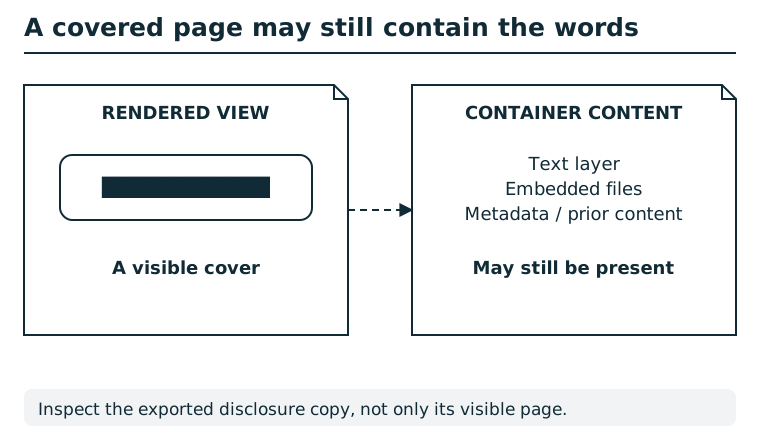
A visual overlay changes what a page looks like without necessarily removing underlying text, embedded files, metadata, or earlier versions. Work on a disclosure copy, remove sensitive content at the relevant layers, and inspect both the rendered result and the exported container. Keep the original evidence separately under the appropriate access controls.
Suggested tools
- Page source viewer: Searches the HTML response without applying its visual styles.
- Element inspector: Shows an element's text and the CSS rules affecting its presentation. A source viewer is a keyboard-friendly alternative.
Tool practice
Rehearse the worked tool exercise before using challenge data.
Practice finding a hidden value in the local HTML exercise. On the pane, inspect the label and its neighboring source element. Copy the received text as evidence before making optional style changes; no visual guessing is needed.
Investigation
Observe
Compare the visible disclosure copy with the HTML the browser received. Record the labels attached to concealed fields and the exact ordinary text present in those elements.
Form a hypothesis
Did the publishing process remove the protected values, or did it only change how they are painted? Which observation lets another examiner reproduce your conclusion?
Test carefully
Use source view or the element inspector to read the existing document. Do not guess or brute-force form submissions. Record each exposed value in the pane's case ledger, then copy and file the witness seal revealed by the central finding.
Progressive hints
Hint 1
The black bars describe how the browser paints the page, not necessarily what the server sent.
Hint 2
Open page source and search for the labels immediately before the covered regions.
Hint 3
Record the advocate registration and the clinic-room value exactly as the HTML contains them.
Troubleshooting and reset
If View source is unavailable, open developer tools and inspect the covered elements, or save the page and open the HTML in a text editor. A rejected finding does not erase earlier progress. Return to the pane, preserve spelling and punctuation, and submit one requested value at a time.
Witness seal filing and recovery
Record this pane's critical finding in the active session before filing its witness seal. Supporting findings are optional. An unearned seal is rejected without consuming a failed-flag attempt. To recover an earned seal, revisit this pane or repeat the accepted finding in the same session; neither adds progress twice. All six critical findings and their six filed seals unlock release, seal, and return. Supporting findings strengthen the ending and remain available after it.