Method Maze
An archive endpoint rejects ordinary retrieval. Ask the endpoint which operations it supports, then test the advertised maintenance behavior.
Objective
- Use
OPTIONSandAllowto discover endpoint behavior. - Explain why authorization must apply consistently across HTTP methods.
Before you begin
Open /challenge/medium/methods. Use an HTTP client capable of custom methods.
Concepts
HTTP methods express different operations. A route that protects GET but exposes another method can still disclose or modify sensitive data.
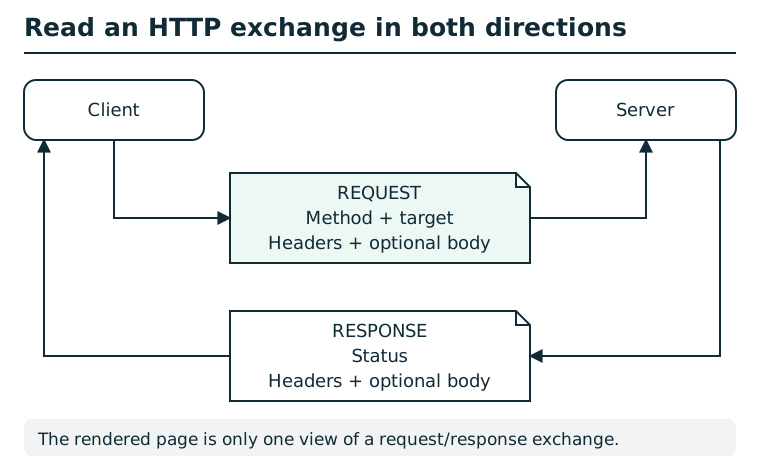
A request includes a method and target, headers, and sometimes a body. The response includes a status, headers, and sometimes a body. Inspect both directions: a browser's rendered page usually shows only the response body. Methods, cookies, authorization, and application state can affect the result; a status code alone is not a complete explanation. The diagram shows a generic exchange, not a station request.
Suggested tools
- HTTP client:
curl -i -X OPTIONS URLshows status, headers, and body.
Tool practice
Rehearse the worked tool exercise before using challenge data.
In cURL, -X selects the method and -i keeps the response headers visible. Record the ordinary request, the discovery request, and their status/body. Use the Allow header as protocol evidence; changing a URL in the address bar still sends GET.
Investigation
Observe
Send OPTIONS to the archive and record both the Allow header and JSON hint.
Form a hypothesis
Will the advertised maintenance method return a different response?
Test carefully
Send only the method explicitly named by the server.
Progressive hints
Hint 1
Send OPTIONS to /api/medium/archive.
Hint 2
Read the Allow header.
Hint 3
Repeat the request with the non-OPTIONS method it names.
Troubleshooting and reset
If a browser address bar always sends GET, use the command-line recipes in the student guide. This module is stateless.